
Practical Risk Management for Forex Trading in South Africa
Manage forex risks effectively with practical strategies 🛡️ tailored for South African traders. Learn to protect your investments amid local market and regulatory conditions.
Edited By
Sophie Kingston
Forex trading demands precision and speed, two things a reliable laptop must offer without fail. For South African traders, picking the right laptop means balancing performance with affordability, all while ensuring it can handle various trading platforms like MetaTrader 4, cTrader, or TradingView smoothly.
The type of laptop you choose can directly affect your trading efficiency. A sluggish or unreliable machine may cause delays in executing trades, potentially costing you money. In addition, connectivity matters a lot here – unstable internet connections are a trader’s nightmare, so a laptop with solid Wi-Fi technology and multiple network options can be a lifesaver.
Processing power: Fast processors handle complex charts and multiple trading windows effortlessly.
Memory and storage: Sufficient RAM (at least 8GB, though 16GB is better) and SSD storage are essential for smooth, quick operation.
Display quality: A clear, bright screen reduces eye strain during long trading sessions and helps spot market trends quickly.
Portability vs. performance: Traders often need to work on the go, so a lightweight device with good battery life offers flexibility.
A trader’s laptop isn’t just a gadget; it’s a tool that must keep pace with volatile markets and time-sensitive decisions.
South Africa’s unique challenges, like loadshedding, mean a laptop with decent battery life and compatibility with power backup solutions (like UPS or portable power banks) should be top of your list. Plus, consider the availability of local service centres and warranty support for whichever brand you pick.
Look beyond just the specs and factor in user reviews from local traders, to see how certain models perform in practical, everyday use. Remember, the best laptop for forex trading in South Africa is one that reliably supports your strategy and adapts to your trading style while keeping up with the local tech and power environment.
Forex trading requires a laptop that meets specific technical needs to keep up with the fast-paced market environment. Traders rely on real-time data, multiple charts, and various applications running simultaneously, making it necessary to understand exactly what a laptop must deliver. This clarity helps avoid interruptions and delays that can cost money in such a volatile space.
Processor speed and multi-tasking are critical for smooth trading experiences. Trading platforms consume a fair bit of computing power, particularly when you have several charts, indicators, and news feeds open at the same time. A strong multi-core processor helps manage these workloads without freezing or lagging. For instance, an Intel Core i5 or AMD Ryzen 5 from recent generations usually provides balanced performance without pushing the budget too far.
Memory (RAM) needs also affect a laptop's ability to multitask efficiently. Forex trading software and web browsers can chew through RAM quickly, especially if you have several tabs and applications open. At least 8GB of RAM is recommended to prevent slowdowns, while 16GB suits those running multiple trading platforms or data-heavy software. Too little RAM causes your laptop to rely on slower disk space, resulting in frustrating delays.
Storage type and space matter for speed and data management. Solid State Drives (SSDs) outperform traditional hard drives in boot times, application launches, and file retrieval, which benefits traders who need to react fast. A 256GB SSD is the bare minimum, offering enough room for the operating system, trading software, and daily data. However, 512GB or more is advisable if you store large historical data sets or use additional financial analysis tools.
Screen size and resolution have a direct impact on how comfortably you view multiple charts and data streams. A 14 to 15.6-inch display balances space and portability well. Resolution-wise, Full HD (1920x1080) is often sufficient, providing clear detail without draining the battery excessively. Larger or higher-resolution screens help if you connect external monitors or prefer more real estate, but they can add to the weight and cost.
Colour accuracy and brightness influence legibility, especially when trading indoors with varying lighting conditions. A brighter screen with good colour fidelity allows you to distinguish key indicators and alert signals quickly. This can reduce errors and eye fatigue during long trading sessions. Matte anti-glare coatings also help minimise reflections from windows or lights, which South African offices or home setups might encounter.
Eye strain reduction features contribute to long-term comfort. Traders spend hours staring at screens, so laptops that offer blue light filters or flicker-free display technology provide relief. Tools like Night Light settings (available on Windows) or third-party apps can be customised to fit your trading routine, helping avoid headaches or tired eyes that could impact focus.
The impact of loadshedding on trading means you’ll need a laptop capable of handling occasional power interruptions. A laptop with strong battery life lets you continue monitoring trades during load-shedding stages without scrambling to find power. Look for models that offer at least 6 to 8 hours of battery life. Paired with a UPS or surge protector, this can keep your setup stable and under control during Eskom's loadshedding schedules.
Balancing weight with battery performance is key for traders who move between offices, home, and internet cafés. While lightweight laptops offer convenience, they often compromise on battery size. Conversely, bulkier models tend to house larger batteries but can become a pain to carry daily. Aim for a laptop around 1.5 to 2 kilograms that still packs decent battery life, so you don't feel weighed down but can trade comfortably wherever you are.
When it comes to forex trading, no laptop is perfect for everyone. Weighing performance against comfort and South Africa’s unique challenges, like loadshedding, helps find the best fit for your trading style.
With these points clear, you’re ready to compare specific models knowing what really matters for the trading grind.
Forex trading demands a laptop that can stay reliable under pressure while meeting specific technical needs. South African traders face unique factors like loadshedding and sometimes patchy internet — this shapes which laptop features truly matter. Focusing on connectivity, software, and security makes sure your device can handle the fast pace of trading without hiccups or risking sensitive data.
Reliable Wi-Fi standards keep you connected to live market data without frustrating lags or drops. Laptops supporting Wi-Fi 5 (802.11ac) or the newer Wi-Fi 6 (802.11ax) deliver faster speeds and better range, which is essential if you’re working from a home office or café with multiple users on the network. For example, a trader in Johannesburg using Wi-Fi 6 can stream charts and data streams smoother, even during peak internet usage hours.
Ethernet ports for stable connections offer a wired backup when Wi-Fi gets spotty. Wired connections reduce latency and packet loss, helping with seamless order execution — a must for traders in areas with less reliable wireless. While some ultra-thin laptops skip the port, using a USB-to-Ethernet adapter can keep you grounded. This is especially useful during loadshedding when connecting through a stable, wired backup at a neighbour’s spot or office might be the only option.
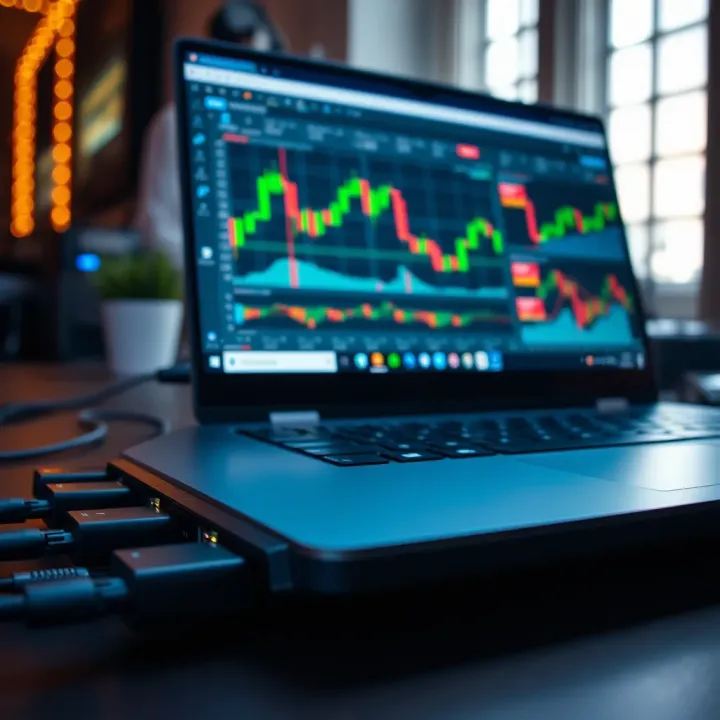
USB and HDMI ports for peripherals let you add essential gadgets like mouse, headphones, or an external monitor. Having at least two USB-A (or USB-C with adapters) ports ensures you can connect peripherals without unplugging devices frequently. HDMI ports allow quick connection to bigger displays, which many traders prefer for multi-chart setups. For example, using a large external monitor during daily trading can significantly reduce eye strain and improve visibility.
Popular trading platforms and system requirements differ, so choosing a laptop ready to handle your platform of choice is key. Platforms like MetaTrader 4 and 5, TradingView, or cTrader run smoothly on both Windows and macOS, but some brokers’ proprietary software might be optimized for Windows. Before deciding, check the minimum specs your trading platform demands — a sluggish computer risks missed opportunities.
Windows vs. macOS for traders comes down to personal preference and compatibility. Windows machines excel in flexibility, supporting more trading applications and offering a wider laptop selection across budgets. macOS, favoured for its stability and sleek design, suits traders invested in Apple ecosystems. However, macOS laptops tend to carry higher price tags and fewer ports, which might require dongles — something to consider if you need extensive connectivity.
Biometric login options like fingerprint scanners or facial recognition offer quick yet secure access to your trading laptop. These features prevent unauthorised logins and save time during hectic trading sessions, especially if you manage multiple accounts or devices. Modern Windows laptops often include Windows Hello, while newer Macs use Touch ID for secure authentication.
Trusted Platform Modules (TPM) are hardware security chips providing encryption support and protecting your credentials against malware attacks. TPM 2.0 has become standard in recent laptops and helps secure your saved passwords and private keys for trading accounts. Having TPM reduces risk in an age where cyber threats targeting financial data are common.
Antivirus and firewall considerations remain critical because hacking attempts in financial markets occur daily. Ensure your laptop supports reliable antivirus software, such as Bitdefender or Kaspersky, and that you enable built-in firewalls. Regular software updates patch vulnerabilities — so keep your system up to date to reduce exposure to risks.
A laptop isn’t just a tool but your frontline defence and trading partner; prioritising connectivity, compatibility, and security helps you trade confidently in South Africa’s unique setting.
Choosing the right laptop for forex trading depends heavily on your budget, but also on the features that matter most for stable, efficient trading. Whether you’re just starting out or you’ve been at it for years, understanding what each price bracket offers can help you avoid overpaying or ending up with underpowered gear.
For beginners stepping into forex trading, entry-level laptops offer the core tools without burning a hole in your pocket. These models typically come with modest processors like Intel Core i3 or AMD Ryzen 3, 4–8GB RAM, and solid-state drives (SSD) around 256GB. This setup handles popular trading platforms like MetaTrader and cTrader without much fuss.
While affordability is key, it’s best not to skimp too much on performance. A sluggish laptop can cause frustrating delays when monitoring charts or executing trades, potentially leading to missed opportunities. Look out for sales or factory-refurbished options from brands like Lenovo IdeaPad or HP Pavilion, which strike a decent balance. Expect to pay around R7,000 to R11,000 for a reliable entry-level unit.
Mid-range laptops are a sweet spot for regular traders who need smooth multitasking and better display quality. In South Africa, models such as the Dell Inspiron 5000 series or ASUS VivoBook with Intel Core i5 or Ryzen 5 processors are widely stocked and supported locally. These also typically come with 8–16GB RAM and at least 512GB SSD storage.
Besides faster CPUs and more RAM, mid-range laptops usually offer brighter screens with Full HD resolution, better battery life, and enhanced connectivity options — essentials for traders who might need to connect multiple monitors or peripherals. This price bracket, often R12,000 to R18,000, also opens doors to improved build quality and prolonged lifespan which make the investment worthwhile.
Professional traders dealing with multiple platforms or streaming real-time news often prefer high-end laptops equipped with Intel Core i7 or Ryzen 7 processors, 16GB or more RAM, and fast NVMe SSDs. Models like the Dell XPS 15 or HP Spectre x360 provide excellent performance, sharp displays, and robust cooling systems to keep your device running smoothly during heavy sessions.
At this level, durability matters as much as specs. These laptops come with premium materials like aluminium or carbon fibre and reinforced hinges. South African traders should also check for long warranty periods that include local service centres to avoid costly downtime, especially given the country's import logistics and potential delays. A solid three-year warranty with onsite support is common in this category.
Investing according to your trading experience and demands ensures you get just the right laptop – nothing more, nothing less. Remember, having a reliable, responsive machine can make a difference when market moves are fast and unforgiving.
When choosing a laptop for forex trading here in South Africa, you need to think beyond just specs and brand names. Real-world factors like availability, price fluctuations due to import taxes, warranty coverage, and how you’ll actually use the device daily matter just as much. These elements directly affect your trading experience — reliability, costs, and convenience.
Finding the right laptop locally can be a bit of a mixed bag. While major brands like HP, Dell, Lenovo, and Apple gear are usually in stock at retail stores such as Incredible Connection, Dion Wired, and Takealot, not every model is immediately available. Sometimes, especially for specific mid-range or high-end models, you might have to wait or resort to online ordering.
When buying, consider how quickly you can get the product and whether your preferred retailer offers reliable delivery and support. Physical stores allow you to inspect the unit or consult sales staff, which helps if you’re unsure about specs.
After-sales support in South Africa is a key part of the deal. Many laptops come with a 1-year or more warranty, but ease of service makes a big difference. Brands with service centres in major cities like Johannesburg, Cape Town, and Durban offer faster repairs. For example, Dell and Lenovo have solid local service networks, whereas some importers might send devices back to the manufacturer abroad, which can take weeks.
A solid warranty and dependable local after-sales support mean less downtime and fewer headaches, especially when trading requires uninterrupted access to your system.
Import duties and VAT significantly influence the laptop's final price. Even if a laptop is competitively priced overseas, add roughly 15% VAT plus customs duties that vary depending on the product classification. For instance, a R15,000 laptop bought abroad might end up costing over R17,000 after taxes and shipping.
This markup can make a big difference, especially when budgeting. It’s why buying locally stocked models often saves you money and time, and protects you against fluctuating exchange rates, which currently tend to be volatile against the rand.
For sharper prices, compare offers on South African online marketplaces like Takealot and Loot, but keep an eye out for deals from trusted authorised resellers and certified secondhand shops. Sometimes, local promotions or clearance sales can bring mid-range laptops into a great value bracket.
Multi-screen setups are popular among forex traders to monitor charts and news feeds simultaneously. While a large laptop with a 15-inch or 17-inch display helps, you might still want to connect external monitors at your desk. This setup requires sufficient USB or HDMI ports and a laptop powerful enough to support multiple displays without lag.
However, if you’re often on the move — say travelling between Johannesburg and Cape Town for meetings or working from a coffee shop — a bulky laptop with extra screens becomes impractical.
In such cases, a lightweight laptop with excellent battery life makes all the difference. You’ll travel lighter and still perform trading activities efficiently. Brands like LG Gram or Dell XPS offer this balance but usually cost more upfront.
Striking a balance between a portable laptop and external displays depends on your trading routine. Many traders find carrying a slim, light laptop for mobile work and having one or two larger screens at their home or office setup works best.
Considering these practical factors ensures you get a laptop that not only powers your forex trading software smoothly but also fits your daily needs and budget realities in South Africa.
Trading forex demands steady and reliable laptop performance. Keeping your device in tip-top shape doesn’t just avoid frustration — it helps you stay on top of the market without unnecessary downtime. Regular upkeep and timely care ensure your laptop handles trading software smoothly and keeps your data secure.
Keeping your trading software up to date is more than ticking a box; it ensures you benefit from performance improvements and patches that fix bugs or security hole openings. For instance, a lagging MetaTrader platform or out-of-date cTrader installer can slow down trade executions or even cause crashes — potentially costing you money. Regular updates also add features that might improve charting or order execution, giving you an edge.
On top of that, running antivirus and firewall scans adds a protective layer seldom given enough attention. Malicious software can creep in through dodgy email attachments or insecure Wi-Fi networks, especially when trading from public spots like cafés or airports. Effective antivirus software, regularly updated, spots and blocks threats early. Similarly, a correctly configured firewall prevents unauthorised access. Both safeguard your sensitive financial information and keep your laptop running efficiently.
Physical upkeep of your laptop pays off in long-term performance consistency. Dust and debris can clog fans and vents, causing overheating — a known culprit for unexpected shutdowns or hardware damage. Wiping down your keyboard, screen, and vents every few weeks and occasionally using a can of compressed air can prevent these issues. Also, protecting your laptop with a proper bag reduces the risk of knocks or moisture damage when on the move.
Battery health matters, too, especially in South Africa’s load-shedding environment, where power outages are frequent. To optimise battery life, avoid keeping your laptop plugged in all the time. Instead, discharge it partially before recharging. Also, adjust your power settings to reduce screen brightness or switch off unused peripherals to stretch battery life during those unpredictable blackout periods. Having a solid battery cycle practice means you’re less likely to lose your work mid-trade.
Cloud backup services provide a handy and reliable way to secure your trading data, charts, and settings. Platforms like OneDrive, Google Drive, or Dropbox sync your files automatically without much hassle. This way, if your laptop fails, you can quickly resume trading from another device, avoiding costly interruptions.
However, don’t rely solely on the cloud. Using external drives for periodic backups adds another safety net. Keep your backup drive in a separate location to avoid risks like theft or floods wiping out both copies at once. Practical precautions like these make sure you don’t lose important trading histories or personal records that could be difficult and expensive to replace.
Consistent laptop maintenance is not just about extending device lifespan. It’s about protecting your trading edge and maintaining peace of mind in a fast-moving financial market.
Manage forex risks effectively with practical strategies 🛡️ tailored for South African traders. Learn to protect your investments amid local market and regulatory conditions.
Learn how swaps impact forex trading in South Africa 🌍 Discover swap types, calculation methods, and tips to manage costs in your trading strategy 💹
📱 Explore the best trading apps in South Africa with local insights on fees, security, and features. Find the platform that suits your investing style and goals confidently.

🌍 Find the best times to trade forex from South Africa! Learn key sessions, global overlaps, and smart risk tips to boost your trading success 🇿🇦📊
Based on 15 reviews