
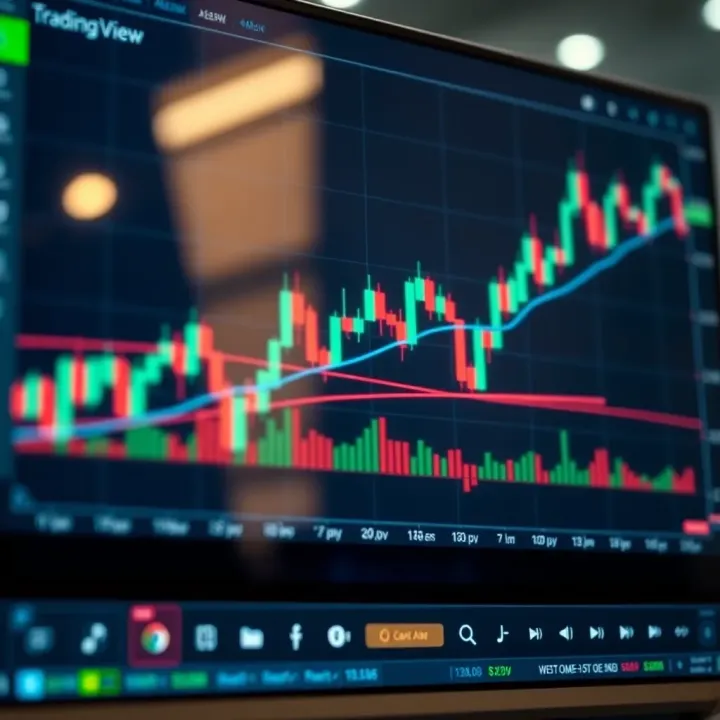
Using TradingView with Deriv for Binary Options
📊 Learn to use TradingView for smarter Deriv binary options trading. This guide covers charts, tools, analysis, strategies, and risks specific for South African traders.
Edited By
Matthew Scott
Deriv and TradingView offer a powerful combo for traders in South Africa aiming to sharpen their market moves. Deriv is well-known for its user-friendly interface and diverse trading options, including binary options, CFDs, and forex. By linking it with TradingView's advanced charting tools, you get visual insights that can help fine-tune entry and exit points.
TradingView goes beyond basic charts, offering a rich set of technical indicators, drawing tools, and custom scripts. This makes it easier to spot trends, spot reversals, and gauge momentum — all of which are critical when you trade on platforms like Deriv where timing matters.
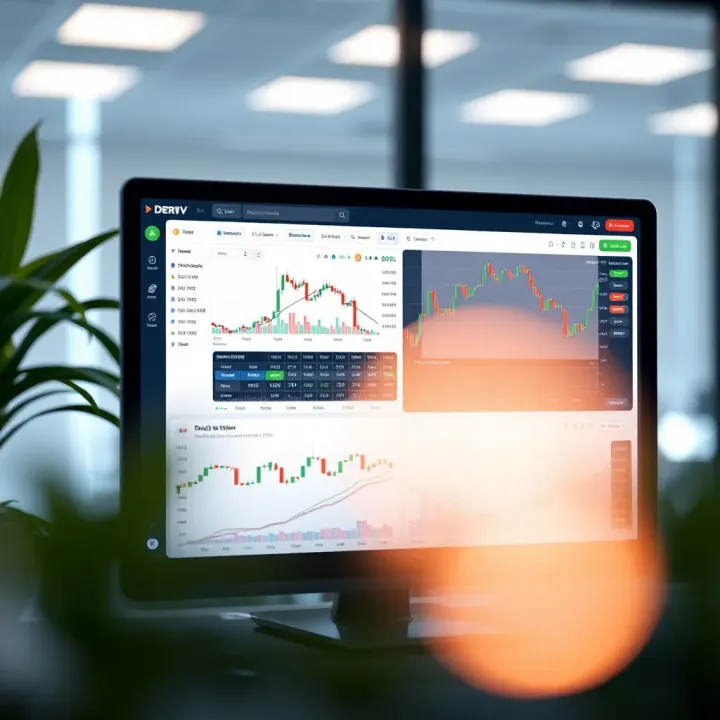
Combining Deriv's platform with TradingView’s charts is about bringing clarity to your trades. It’s not just about seeing price moves but understanding them in the context of market patterns.
Many South African traders have found that syncing their Deriv account with TradingView allows them to plan strategies with more confidence. For instance, the RSI (Relative Strength Index) or Moving Average Convergence Divergence (MACD) on TradingView can highlight when a currency pair on Deriv is overbought or oversold. That makes your trading decisions a little less of a guessing game.
In the sections ahead, you’ll get step-by-step instructions on setting up the integration and practical tips on how to use key tools so that your trades reflect thoughtful analysis rather than just luck or hearsay.
Trading smarter means using the right tools, in the right way — and this guide aims to help you do exactly that with tools accessible from your desktop or mobile, tailored for South African market realities.
Grasping the fundamentals of Deriv is essential for any trader aiming to make smart decisions. Deriv operates as an accessible online trading platform offering a wide range of assets and features tailored to both beginners and seasoned traders. By knowing what it brings to the table, you can better align your strategies with what Deriv enables, particularly when integrating it with charting tools like TradingView.
Deriv offers a variety of assets including forex pairs, commodities such as gold and oil, synthetic indices, stocks, and cryptocurrencies. For example, if you want to trade the volatility of the Rand against the US dollar, Deriv’s forex options cover this. Synthetic indices mimic real-world market moves but operate 24/7 without breaks, which is useful for round-the-clock trading without worrying about standard market hours.
Deriv provides several account options to suit different needs, such as demo accounts for practising without financial risk, and real accounts where you trade with actual funds. Some accounts offer fixed spreads, while others use floating spreads depending on your preference for predictability versus market conditions. Access is straightforward; a South African trader can register online with ID verification to comply with local regulations and start trading quickly.
One standout feature is Deriv’s offering of synthetic indices which operate independently of actual market events, smoothing out the unpredictability often linked with real-world assets. Their user-friendly platform also incorporates options like multipliers which can amplify your returns (or losses) on trades without the complexity of margin trading. Furthermore, Deriv’s Bot platform allows automated trading strategies without requiring coding skills, adding flexibility to your approach.
The Deriv dashboard is clean and intuitive, designed for quick access to markets and trading tools. Key sections include asset lists, an active trade window, and a live price chart. This clarity helps you avoid fumbling, which is critical when markets move fast. For instance, navigating swiftly from researching a forex pair to placing a trade on that pair takes just a few clicks.
Executing trades on Deriv is straightforward: select your asset, choose your trade type (e.g., call/put, multiplier), set your stake and duration, then confirm. The platform clearly displays potential profit and loss, helping you make informed decisions. For example, you can decide to trade a crypto asset for just 1 minute or hold a forex position for hours depending on your strategy.
Deriv integrates risk management tools directly into its interface, allowing you to set stop-loss and take-profit levels swiftly. This is crucial for controlling downside, especially in volatile markets. The platform also enables you to limit maximum losses per day, a valuable feature to prevent blowing your account during a losing streak. Notably, their built-in demo accounts let you test these settings before risking real money.
Taking time to understand Deriv’s features and interface helps mitigate errors and supports more confident trading decisions, especially when combined with technical analysis from TradingView.
By mastering these aspects of Deriv, South African traders can tap into its full potential, making smarter moves informed by data and user-friendly design.
TradingView is a powerful tool for traders who rely on technical analysis to make informed decisions. It offers an extensive suite of charting tools and indicators that help you spot market patterns, trends, and potential turning points. In the context of using Deriv, TradingView adds clarity and precision, enabling you to see what the charts are telling you before executing trades.

Using indicators and drawing tools allows traders to visually analyse price movements and forecast potential outcomes. For instance, you might apply moving averages to smooth out price fluctuations or use the Relative Strength Index (RSI) to gauge if an asset is oversold or overbought. Drawing trendlines or Fibonacci retracements helps to mark support and resistance levels, which can guide your entry and exit points on Deriv. These tools turn raw numbers into understandable market stories, giving you an edge.
Customising charts to your strategy is essential because no two traders look at charts the same way. TradingView lets you tweak colours, timeframes, and chart types — from candlesticks to Heikin Ashi — to fit your approach. For example, a day trader might prefer 5-minute candles with volume bars prominently displayed, while a swing trader might focus on daily charts with MACD overlays. Tailoring these visuals ensures your charts are a clear reflection of how you want to read the market.
Accessibility and cost considerations are big draws for TradingView among South African traders. There’s a free tier that offers plenty of features suitable for beginners, and paid plans unlock more indicators and alerts without breaking the bank. Plus, since TradingView is web-based, it works smoothly on limited data bundles or slower connections, which can matter during loadshedding or in areas with patchy internet.
Community ideas and scripts bring an extra layer of value that’s hard to find elsewhere. South African traders can tap into crowd-sourced strategies, custom indicators, and alerts shared by the global TradingView community. For instance, you might discover a script that highlights specific patterns common in JSE stocks or a bot script that helps automate alerts for forex pair movements. This collaborative feature saves time and often sparks new ideas you hadn’t considered.
Combining Deriv’s trading platform with TradingView’s versatile analysis makes your trading not just smarter, but more tailored to your style and local realities such as data limits and power interruptions.
This section gives you the foundational knowledge to make better use of TradingView alongside Deriv, setting you up to trade more confidently and effectively.
Bringing together Deriv's trading platform with TradingView’s advanced charting tools offers traders a stronger edge in the market. These platforms complement each other well: Deriv delivers a range of assets and execution capabilities, while TradingView empowers you with detailed technical analysis features. By linking the two, you sharpen your decision-making skills, spotting opportunities and risks more clearly.
Linking relevant market data is the first step toward real-time, informed trading. TradingView allows you to add various asset classes including forex pairs, commodities, and indices that Deriv offers. While TradingView may not have a direct feed from Deriv, you can manually select equivalent market symbols or use TradingView's supported brokers that offer overlapping assets. This setup lets you track price movements, volume, and trends without switching platforms constantly.
For example, if you trade the EUR/USD pair on Deriv, find this pair on TradingView and add it to your dashboard. The live charts and technical indicators from TradingView provide insight well beyond Deriv’s basic charts. This approach ensures you never miss sudden price swings or key reversal points amid South Africa’s volatile trading hours.
Besides, creating watchlists with Deriv instruments focuses your analysis on the markets you trade most. TradingView’s watchlist feature lets you organise assets by type or strategy. For instance, you might keep a watchlist for cryptocurrencies, another for indices, and one more for forex pairs. This grouping saves time and helps avoid clutter when trading fast-moving markets.
Watchlists also allow quick access to relevant charts and indicators, so you're always ready to act. Say you’re interested in trading the S&P 500 index on Deriv; having it on your watchlist with predefined alerts speeds up spotting entry and exit points.
Understanding chart signals and alerts on TradingView is key to applying technical analysis effectively. TradingView supports diverse signal types—from simple moving average crossovers to more complex indicators like the Relative Strength Index (RSI) or Bollinger Bands. Setting alerts to notify you of these signals means you don’t need to stare at charts all day. Instead, you get a ping when a signal aligns with your strategy, helping you stay alert during loadshedding or when multitasking.
For example, if your strategy triggers a buy signal when the 50-day moving average crosses above the 200-day on the USD/ZAR chart, you can set an alert on TradingView to inform you immediately. This kind of signal is crucial when market conditions are changing fast.
Applying these signals to Deriv trading decisions involves translating what you see into actionable steps. A calm, clear head helps here. If TradingView alerts you to a potential downtrend starting, you might decide to place a short trade on Deriv or adjust your stop-loss accordingly.
The value lies in patience and accuracy—ignoring false alarms while recognising valid signals helps avoid costly mistakes. Combine signals with your personal risk management and Deriv’s trading features like stop-loss or take-profit orders to optimise outcomes. For instance, after spotting a bullish RSI on TradingView for gold futures, you could place a carefully sized buy order on Deriv with a stop-loss just below a recent support level.
Linking detailed analysis from TradingView with the execution powers of Deriv creates a more resilient trading approach suited for the ups and downs of markets and South Africa’s own challenges like loadshedding.
By melding these two resources, traders get a clearer picture, act swiftly, and manage risks better—all essentials in today’s financial climate.
Integrating Deriv with TradingView can significantly enhance your trading experience by combining Deriv's versatile trading tools with TradingView's powerful charting and analysis capabilities. This step-by-step guide walks you through setting up both platforms so you can monitor the markets and execute trades more efficiently. Understanding how to link these accounts and apply practical integration methods will help you make smarter decisions without constantly switching between tabs.
Registering on Deriv and TradingView is the first step. Both platforms require valid accounts to access their services fully. Creating a Deriv account involves providing basic information, such as personal details and verifying your identity to comply with regulations like the Financial Intelligence Centre Act (FICA) in South Africa. This ensures you can trade legally and securely. On the other hand, TradingView requires you to sign up with an email address or social account. While TradingView offers free access with limited features, upgrading to a Pro or higher subscription unlocks advanced tools more suitable for serious traders.
Establishing connection points if available means finding ways the two platforms can communicate or share data. Currently, Deriv does not offer a direct API connection with TradingView for automated trade execution. However, you can manually synchronise your watchlists and set alerts based on TradingView charts to inform your trades on Deriv. Staying logged in to both platforms side by side on your browser, or using multiple screens, can help you act swiftly on your analysis.
Using browser extensions or manual setups can assist your workflow. For example, some traders use third-party extensions that allow quick switching between platforms, or sticky notes and spreadsheets to translate TradingView's chart signals into trade parameters on Deriv. Since there is no official plugin linking the two, manual setups require diligence but offer flexibility. If you prefer, setting both platforms to open in adjacent windows or using split-screen on your desktop can reduce errors caused by switching too fast or missing signals.
Best practices to avoid errors include double-checking trade details before executing orders on Deriv, especially price levels and stop-loss points derived from TradingView charts. Also, ensure both platforms are refreshed regularly to avoid outdated market data. South African traders should keep an eye on internet stability, as Eskom loadshedding may disrupt your connection. Consider using a battery-backed router or mobile data as a backup. Taking these precautions minimises mistakes and improves your confidence when acting on TradingView signals with Deriv trades.
Seamless coordination between Deriv and TradingView doesn’t require complex automation—it needs careful setup, consistent monitoring, and clear processes that fit your trading style.
By following these practical steps, you position yourself to trade smarter, leveraging the strengths of both platforms while staying grounded in the realities of the South African trading environment.
Bringing Deriv and TradingView together offers traders a solid edge by blending powerful technical analysis with live trading execution. For South African traders dealing with volatile markets and occasional connection hiccups caused by loadshedding, this combo can help craft smarter, more confident decisions. Getting the most out of these platforms means sharpening your strategy and managing risks properly — it's about being precise, not guessing.
One practical way to boost your trades is by combining multiple indicators for confirmation. For instance, instead of relying solely on the Relative Strength Index (RSI) to spot overbought conditions, you might also watch the Moving Average Convergence Divergence (MACD) for crossover signals. When both indicators align, they send a stronger hint about potential price moves, reducing false alarms. Imagine spotting a bullish crossover on MACD while RSI pops out of the oversold zone—this can signal a better entry point for a Deriv trade.
Next, backtesting your strategies on TradingView helps you see how your indicators would have performed historically. This feature lets you simulate trades using past price data without risking real money. For example, if you’ve set a strategy combining Bollinger Bands and Stochastic Oscillator signals, backtesting reveals whether this combo would have made consistent profits over six months. It’s like giving your plan a dress rehearsal before stepping onto the trading floor.
Using stop-loss and take-profit settings on Deriv is crucial for protecting your capital. A stop-loss automatically closes your trade at a predetermined loss level, which is handy when markets swing unexpectedly. For instance, if you buy a forex contract on Deriv at R15.00, you might set a stop-loss at R14.60 to cap losses at 40 cents per unit. Likewise, take-profit locks in gains once the price hits your target. Setting these limits beforehand helps avoid emotional decisions during rapid price changes.
TradingView’s alert system further supports risk management by notifying you when conditions meet your rules. You can configure alerts for price levels, indicator crossovers, or trend line breaks. For example, you might set an alert for when the price crosses above the 50-day moving average or when the RSI drops below 30. These timely alerts ensure you stay updated without staring at screens all day, helping you react quickly and execute trades on Deriv at just the right moment.
Combining robust technical strategies with disciplined risk management via Deriv and TradingView empowers South African traders to navigate markets more effectively and confidently.
When combining Deriv with TradingView, traders often face certain hurdles that can hamper smooth trading experiences. Identifying these common challenges helps you prepare, so you can prevent losses, ensure timely reactions to the market, and avoid getting frustrated. From technical glitches between platforms to coping with market unpredictability and local infrastructure issues, this section highlights key pitfalls and practical ways to navigate them.
Connection delays can disrupt the flow between TradingView’s analysis and Deriv’s execution. For instance, a signal on TradingView might indicate a buy, but by the time you place the trade on Deriv, the price could have shifted. This delay often stems from internet speed inconsistencies or server response times. South African traders using mobile data in less urban areas might notice these delays more during peak hours or under poor coverage.
To minimise connection delays, ensure your internet is stable — consider wired connections or high-quality fibre broadband where possible. Some traders also use multiple devices: one dedicated to charting on TradingView, the other to placing trades on Deriv to reduce lag. Plus, closing unnecessary apps or browser tabs helps free up bandwidth.
Data syncing problems occur when the information shown on TradingView charts does not quite match Deriv’s live market prices. This mismatch can affect decision-making, especially in volatile markets. Pricing feeds come from different sources and refresh rates, so a lag even of a few seconds between platforms can result in missed opportunities or inaccurate entries.
Checking the timestamp on your TradingView charts and comparing it regularly with Deriv’s quotes helps spot syncing issues early. Some traders set alerts when prices move beyond a threshold, giving a buffer to respond if data updates aren’t perfectly aligned. Also, clearing cache or switching browsers might fix temporary display glitches.
Eskom loadshedding impacts on online trading shouldn’t be underestimated by South African traders. Sudden power cuts can freeze your devices during critical trade execution or data analysis moments, leaving you exposed to unexpected market moves. A quick loadshedding stage change can throw a wrench in trading plans, especially if backups like inverters, UPS units, or mobile data aren’t set up.
Preparing for loadshedding means keeping an eye on official Eskom schedules and having a backup power source ready. Traders in Johannesburg might deal with Stage 2, while some rural areas face longer cuts — knowing your area’s pattern is essential. Also, mobile data can serve as a temporary internet lifeline but check coverage and data limits.
Handling unexpected market moves is part and parcel of trading but managing this risk becomes even more critical when relying on two platforms. Sudden spikes or drops could make your TradingView signals obsolete by the time you act in Deriv. The thing is, no system guarantees perfect timing, so preparing with stop-loss orders and setting manageable trade sizes is wise.
Being disciplined with your risk management strategy helps contain losses when the market pivots sharply. Adapt by backtesting your strategies regularly on TradingView to understand how they hold up under sudden shifts. And remember: alerts can be lifesavers to know when volatility picks up, so you don’t have to watch charts constantly.
Anticipating these challenges and having clear ways to handle them will keep your trading smoother and reduce unnecessary stress. With the local factors at play and technical quirks of combining Deriv and TradingView, being proactive is your best defence.
📊 Learn to use TradingView for smarter Deriv binary options trading. This guide covers charts, tools, analysis, strategies, and risks specific for South African traders.
📈 Learn to sign up for a Deriv real account with clear steps for SA traders. From registration to verification and funding, manage trades confidently today! 💼

🤖 Discover how forex trading robots work, their pros and cons, risk management tips, and how South African traders can pick reliable automated tools.
📊 Learn how to use a pips calculator in forex trading to accurately value currency moves, manage risk, and size positions for smarter trades in South Africa.
Based on 9 reviews